
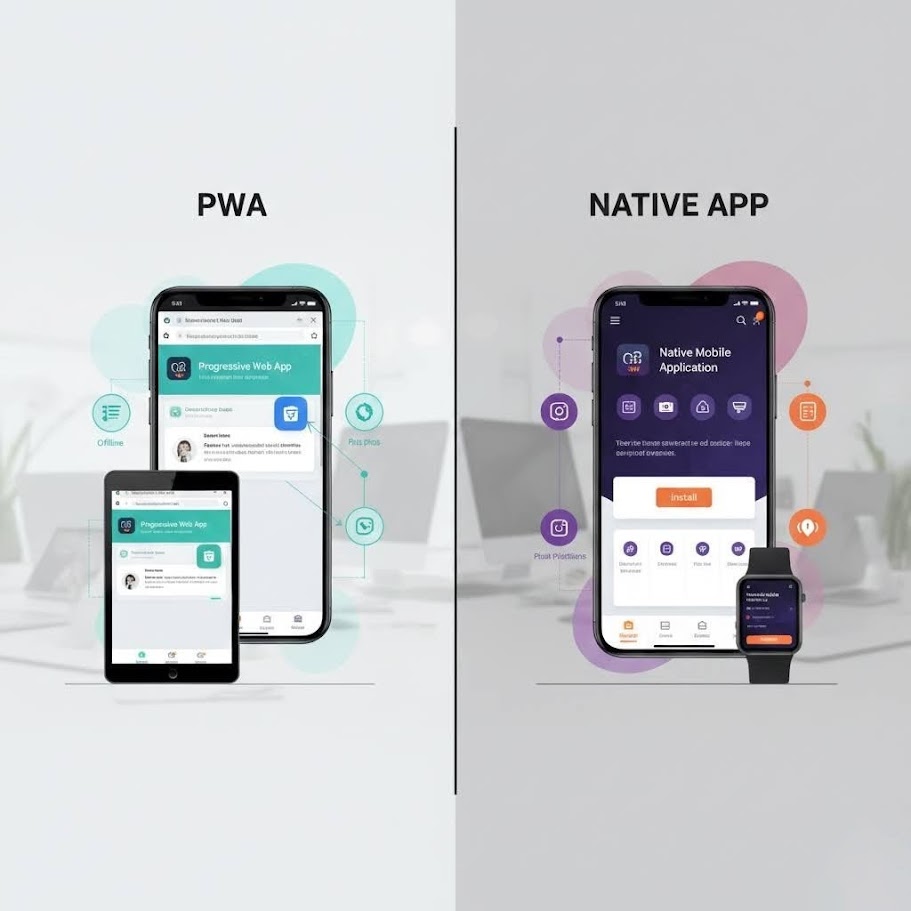
Choosing Between a PWA and a Native App in 2026

The “PWA vs native app” question has been asked for a decade. The answer has changed. In 2026, for the vast majority of business applications, the default choice is a PWA, and you need specific reasons to go native rather than specific reasons to go PWA.
That’s a stronger statement than you’d have been able to make a few years ago. Let me explain why it’s true now and how to think about the exceptions.
What a PWA Actually Is in 2026
A Progressive Web App is a web application that behaves like a native app. It can be installed on a user’s home screen, it works offline, it receives push notifications, it can access device hardware through modern browser APIs, and it loads fast.
The key shift over the past few years is browser API coverage. The things that used to require native — camera access, GPS, Bluetooth, NFC, offline storage, background sync — are now available in modern browsers on both iOS and Android. The gap that justified native development for most applications has effectively closed.
Safari on iOS, historically the laggard, has significantly improved PWA support. Persistent storage, push notifications, full offline capability — these all work reliably now. The political friction Apple created around competing with the App Store is still present but its practical impact on business applications has diminished.
When a PWA is the Right Choice
For most business applications, the answer is PWA. Here’s what “most business applications” covers:
Internal tools and field service applications. This is where we see the clearest case. We built a field service PWA for a client whose engineers visit sites across the South West, logging job details, taking photos, getting signatures, and syncing data back to headquarters. The engineers work in environments with patchy connectivity. The PWA handles this exactly as well as a native app would — service workers manage offline operation, background sync pushes data when connectivity resumes. The app is installed on their phones and indistinguishable from a native app in daily use.
Healthcare and clinical workflows. The HealthTECH platform we built for a healthcare client runs as a PWA on tablets used by clinical staff. The requirements included offline capability, camera access for documentation, and a consistent experience across a mixed device estate. A PWA delivered all of it, and the client maintains one codebase rather than separate iOS and Android apps.
CRM and operations platforms. Any application where the core workflow is data entry, review, and communication is a PWA candidate. These applications are essentially forms and lists, which the web handles beautifully.
Anything where you don’t need App Store presence. If users don’t need to discover your app through the App Store — if you’re deploying to known users within your organisation or installing via a link — you bypass the App Store entirely and with it the submission process, the review delays, and the 30% revenue cut.
The advantages compound: one codebase instead of three (iOS, Android, web), faster deployment since updates go live immediately without store review, and lower development cost — typically 40–60% of what equivalent native development would run to.
When Native Is the Right Choice
Native isn’t a wrong answer, it’s just not the default for most business applications. Here’s where it remains the right choice:
Deep hardware integration. If your application needs Bluetooth LE for device pairing, real-time sensor data at high frequency, or complex audio/video processing, native gives you capabilities and performance that browser APIs don’t match. A medical device companion app, an industrial sensor monitor, a professional audio application — these are native territory.
App Store presence as a distribution strategy. If discoverability through the App Store is a meaningful part of your go-to-market — if strangers searching the store are a significant user acquisition channel — then you need to be in the App Store. A PWA can be listed in some stores but the experience isn’t equivalent.
Games and graphics-intensive applications. WebGL has come a long way but native still wins for anything pushing the limits of GPU performance. Games, AR applications, real-time visualisation tools — native or a hybrid with native rendering layers.
Very complex gesture interactions. Native gesture recognisers are still somewhat more capable and consistent than what you can achieve in a browser. For an application where sophisticated touch interaction is central — a professional drawing app, a music instrument interface — this can matter.
A Real-World Example: Field Workers Logging Jobs
Let me describe the field service PWA in more detail because it illustrates the offline-first approach well.
The engineers in question visit anywhere from four to ten sites per day. A typical session looks like: drive to site, often in a rural area with poor signal. Open the app and load the job — already cached from the morning’s sync. Walk the site, log observations, take photos (camera API, stored in IndexedDB), record measurements. Get a digital signature from the site contact. Drive to the next site.
At some point during the day, when connected, the app’s service worker background-syncs all of that data — photos, notes, signatures — to the central system. The back-office team sees completed jobs appearing in real time as sync events land.
None of this required native development. The service worker handles the offline queue. The Cache API stores the job data. The MediaDevices API accesses the camera. IndexedDB persists the photos. The Background Sync API handles the upload queue.
The client had previously looked at native development and received quotes in the £80–120k range for iOS and Android apps separately. The PWA delivered the same functionality for substantially less, with a single codebase that we maintain and update without going through App Store review cycles.
The Technical Considerations That Actually Matter
Offline first, not offline capable. There’s a meaningful difference between an app that works offline as a fallback and one designed from the ground up to treat connectivity as optional. Design for offline first. Use the Cache API and IndexedDB as your primary data layer, with sync to the server as a background process. This produces a faster, more resilient application even when connectivity is good.
Service worker lifecycle management. Service workers are powerful and tricky. An incorrectly implemented service worker can cause users to be stuck on old versions of your application indefinitely, or to see inconsistent caching behaviour that’s hard to debug. Invest time in getting this right. We use Workbox, which handles much of the complexity well.
Install prompts and onboarding. PWAs need to be installed deliberately — there’s no App Store install flow. Design your onboarding to prompt installation at the right moment (after a user has demonstrated they find the app useful, not on first visit). Make the value of installing clear: offline access, home screen icon, faster load times.
iOS quirks. Safari’s PWA implementation is mostly solid now but has occasional rough edges. Test thoroughly on iOS, particularly push notifications (which now work but require specific permission flows), and file system access. Things that work perfectly on Android Chrome occasionally need a workaround on iOS Safari.
Making the Decision
The questions to ask:
- Does your application require hardware access that browser APIs don’t cover? If yes, native. If no, keep going.
- Is App Store discoverability a meaningful part of your distribution strategy? If yes, native or PWA with App Store listing. If no, pure PWA.
- Are you building something graphics/game-intensive? If yes, native. If no, keep going.
- Is your primary interface data entry, workflow, and communication? If yes, PWA is your default.
For most business applications — field service, CRM, internal tools, operations platforms, clinical workflows — the PWA answer is correct and will save you meaningful cost without sacrificing capability.
We’ve been building web applications for 15 years and PWAs seriously for the past three. The maturity of the platform in 2026 means that when someone comes to us with a mobile application requirement, PWA is almost always our recommendation. Have a look at our web applications service for more on our approach, or get in touch if you want to talk through a specific project.