
WordPress Performance: How We Got Our Site Loading in Under 1 Second

For a while, our own website was a standing joke in the office. We build software for a living. We care about performance. And our company site — the thing potential clients look at to decide whether to trust us — was timing out on mobile and pulling in half a megabyte of JavaScript before rendering anything.
It was built in Elementor, which is not inherently a bad product but which makes certain performance choices on your behalf that are hard to undo without abandoning it entirely. We’d inherited it from a previous design iteration and let it drift.
When we rebuilt the site last year, performance was a primary design constraint, not an afterthought. Here’s exactly what we did and the numbers we hit.
The Before Picture
Before the rebuild, a typical page load looked like this:
- Page weight: 2.8MB (mostly Elementor assets, WooCommerce remnants, and a font pile we’d forgotten about)
- JavaScript: 380KB gzipped (jQuery, Elementor’s frontend, a slider library, Google Analytics, a cookie consent library, a chat widget)
- Time to First Contentful Paint on mobile: 4.2 seconds
- Lighthouse performance score: 41
That 41 is a score I’m genuinely embarrassed about. And the 4.2 second FCP on mobile is the kind of number that kills conversions — research consistently shows that above 3 seconds, a significant portion of users abandon the page.
The cookie banner alone was a symptom: we’d installed Google Analytics, which triggered a GDPR requirement for consent, which required a cookie library, which added more JavaScript. The 45KB of Google Analytics wasn’t even delivering useful insights — we had data but weren’t acting on it.
The Decision: Custom Theme, No Page Builder
The rebuild decision was: custom WordPress theme from scratch, no page builder, Tailwind CSS, minimal JavaScript as a hard constraint.
This is a more significant commitment than it sounds. Page builders are genuinely convenient for non-technical content editors. We made a considered trade-off: our site is mostly stable, updated infrequently by developers, and the performance benefits of not using a page builder are substantial enough to justify the reduced editorial flexibility.
If you have a large team of non-technical editors updating content constantly, this trade-off calculation might come out differently. For us it was clear.
The Technical Approach
Tailwind CSS was the foundation of the frontend work. If you’re not familiar with it: Tailwind is a utility-first CSS framework where you compose styles from small, single-purpose classes directly in your HTML rather than writing custom CSS rules. The significant performance advantage is that the build process includes PurgeCSS — it scans your templates and removes any Tailwind classes you haven’t used. On our site, this reduces the CSS to exactly what’s needed and nothing more.
Our final CSS file is 12KB gzipped. Twelve kilobytes. Most sites pull in 100KB+ of CSS from a combination of theme stylesheets, plugin stylesheets, and page builder CSS. We pull in 12KB.
JavaScript budget: hard cap. We set a rule: no JavaScript on any page unless it demonstrably improves the user experience, and every JS dependency gets an explicit size cost/benefit analysis. The result:
- No jQuery (WordPress includes it by default; we dequeued it)
- No slider library (CSS animations for anything that animates)
- No emoji scripts (WordPress loads these by default; they’re pointless and removable)
- No oEmbed scripts (removed; we don’t use embedded videos on key pages)
- No chat widget (moved to a “contact us” page with a simple form)
Our JavaScript bundle is 18KB gzipped. For comparison, Google Analytics alone is 45KB gzipped. A typical WordPress site running Elementor and a few plugins is north of 300KB.
Font loading. We use two weights of a single font family. The fonts are self-hosted (no Google Fonts request dependency, no privacy concern, faster load) and preloaded in the with rel="preload":
<link rel="preload" href="/fonts/inter-400.woff2" as="font" type="font/woff2" crossorigin>
<link rel="preload" href="/fonts/inter-600.woff2" as="font" type="font/woff2" crossorigin>
Preloading fonts tells the browser to fetch them as high priority alongside the HTML parse, eliminating the flash of unstyled text and preventing the font load from becoming a render-blocking resource. Total font payload: 68KB. Previously we were loading six font weights from Google Fonts via a render-blocking stylesheet.
Deferred scripts. Any JavaScript that does load gets the defer attribute. This means the browser downloads the scripts without blocking HTML parsing and executes them after the document is parsed. The practical effect: the page renders before scripts execute, rather than waiting for them.
Image handling. We use WordPress’s native responsive images (srcset, sizes) with WebP serving. Every image that can be lazy-loaded is. Above-the-fold images are not lazy-loaded — that’s a common over-application of lazy loading that actually hurts LCP.
Ditching Google Analytics for Plausible
This is the change I’d recommend to almost every WordPress site owner regardless of anything else.
Google Analytics is 45KB of JavaScript that sets cookies (triggering GDPR consent requirements), phone home to Google on every page load, and provides analytics data that most sites use approximately 5% of.
Plausible Analytics is less than 1KB (not a typo) and is privacy-preserving — no cookies, no personal data collection, GDPR compliant by design, no cookie banner required. It tracks pageviews, referrers, and basic user journey data. We use around 90% of what Plausible shows us; we used around 5% of what Google Analytics showed us.
The practical impact: removing Google Analytics removed the need for a cookie consent banner. The cookie banner removal means users see content immediately rather than a consent dialogue. It also removed a network request dependency — page load no longer waits on an external script from Google’s CDN.
One script tag replaced another. Lighthouse score improved by about 8 points just from this change.
The Results
After the rebuild:
- Page weight: 380KB (homepage, including images)
- JavaScript: 18KB gzipped
- CSS: 12KB gzipped
- Fonts: 68KB
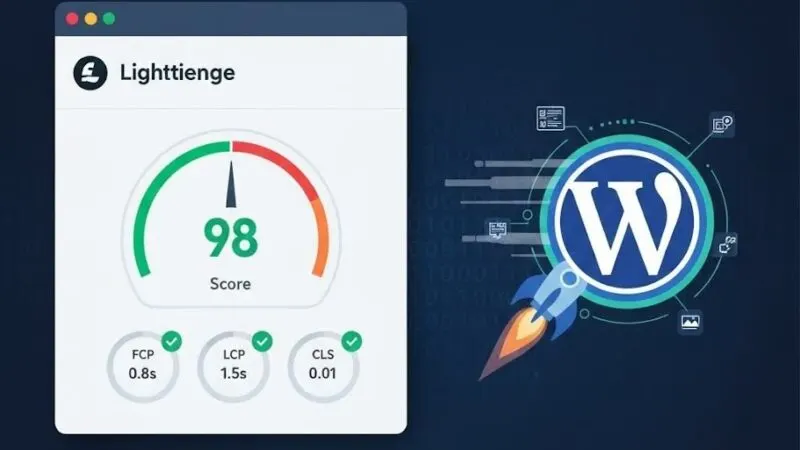
- Time to First Contentful Paint (mobile): 0.8 seconds
- Largest Contentful Paint: 1.3 seconds
- Lighthouse Performance: 97
- Lighthouse Accessibility: 100
- Lighthouse Best Practices: 100
- Lighthouse SEO: 100
Those are real numbers from a real production site, not a synthetic test on an empty page.
Why This Matters Beyond Vanity Metrics
Performance correlates with conversion and with SEO rankings, and not in a vague hand-wavy way — in ways that are measurable.
Google’s Core Web Vitals are a ranking signal. Largest Contentful Paint (LCP) under 2.5 seconds, Cumulative Layout Shift (CLS) under 0.1, Interaction to Next Paint (INP) under 200ms — these metrics directly influence where your pages rank. A Lighthouse score of 41 is a competitive disadvantage in organic search. A score of 97 is a competitive advantage.
For conversion: the research is consistent. Every second of load time above roughly 1.5 seconds on mobile increases bounce rate measurably. At 4 seconds, you’ve lost a substantial portion of mobile visitors before they’ve seen your content. Our conversion rate from the site improved meaningfully after the rebuild, and while attribution is always imperfect, the correlation with the performance improvement is hard to explain otherwise.
What This Means for Your Site
The techniques here aren’t secret knowledge. They’re the result of disciplined application of things that are well understood:
- Don’t use more than you need (page builders, plugin stacks, font libraries)
- Deliver CSS as small utility classes with aggressive purging
- Treat JavaScript as a scarce resource and justify every kilobyte
- Self-host and preload fonts
- Replace heavy analytics with lightweight privacy-respecting alternatives
- Defer everything that can be deferred
The reason most WordPress sites are slow isn’t a technical limitation of WordPress. It’s accumulated convenience — plugins that add features, builders that add flexibility, analytics that add data — without someone owning the performance cost of each addition.
If your WordPress site is slow and you’d like it not to be, have a look at our WordPress services for how we approach this. The rebuild doesn’t have to be as dramatic as ours was — often targeted changes to your heaviest assets get you 80% of the way there.